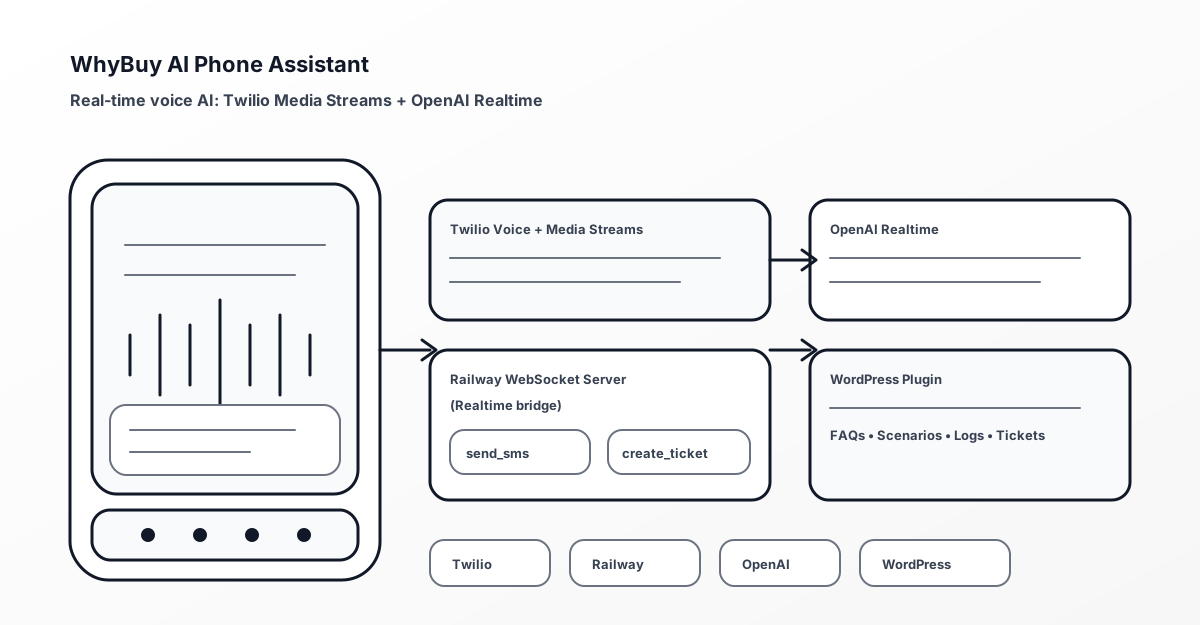
WhyBuy AI Phone Assistant (WordPress + Twilio + Realtime AI) — Voice Support That Transcribes, Responds, and Creates Tickets
A WordPress-driven voice support assistant that connects Twilio Media Streams to OpenAI Realtime—enabling live transcription, intelligent responses, SMS follow-ups, and support ticket creation.
Looking for custom WordPress plugin development that integrates voice, AI, and support workflows? Browse my portfolio or services, and reach out to discuss your use case.
Overview
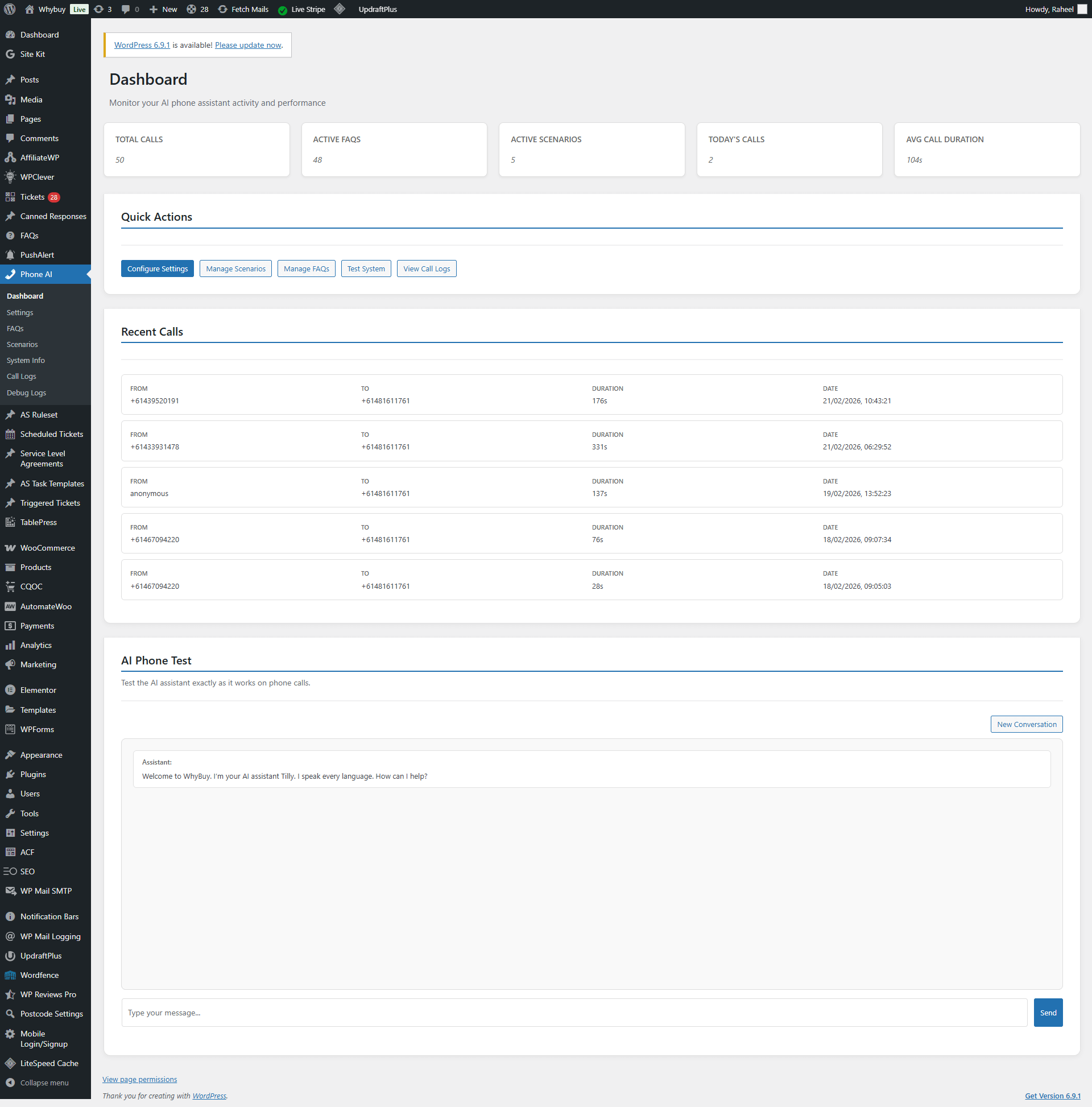
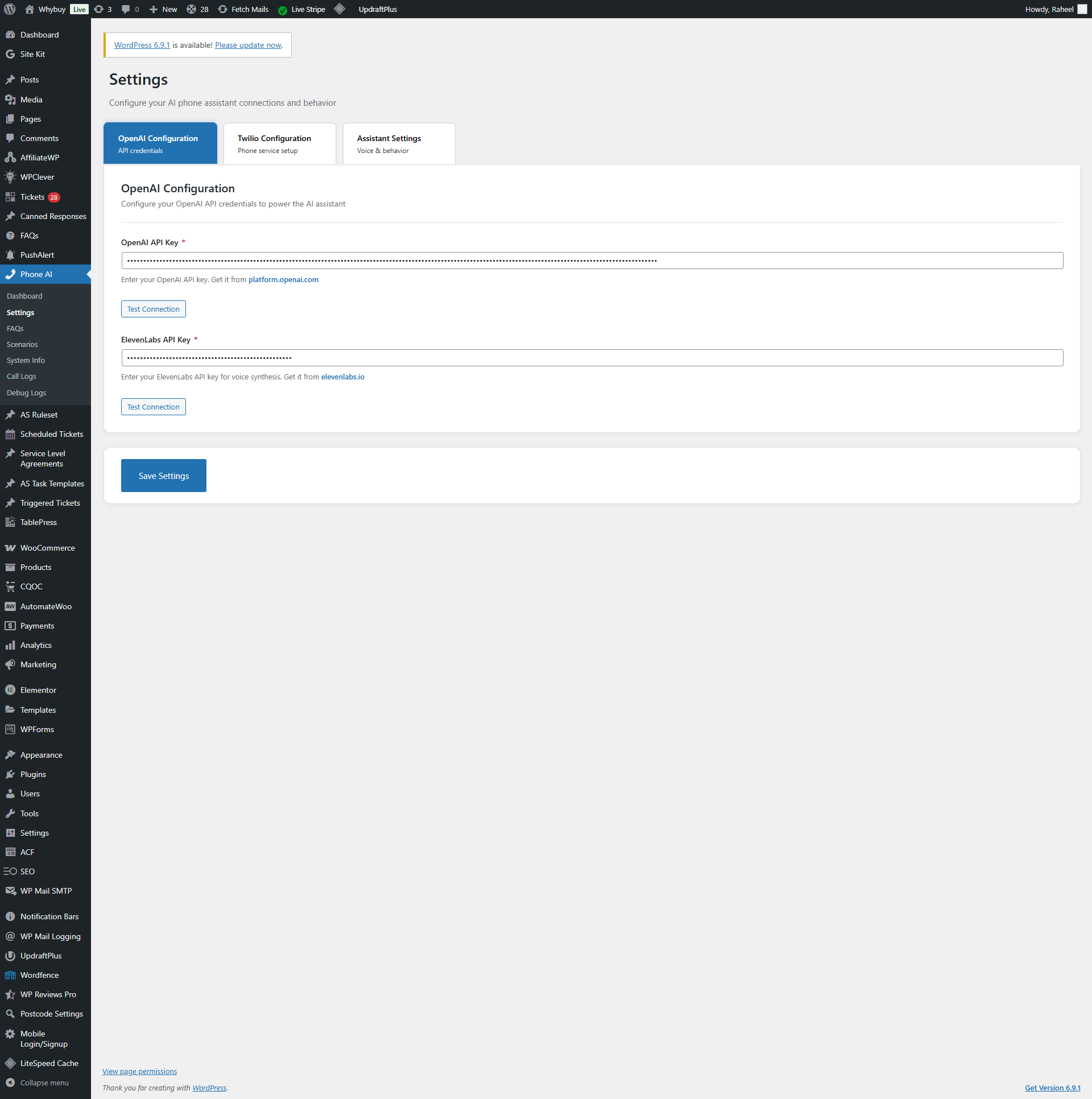
I built WhyBuy AI Phone Assistant to bring AI into one of the most operationally expensive support channels: phone calls. The system connects Twilio Voice (including Media Streams) with an AI backend that can listen, transcribe, and respond in real time.
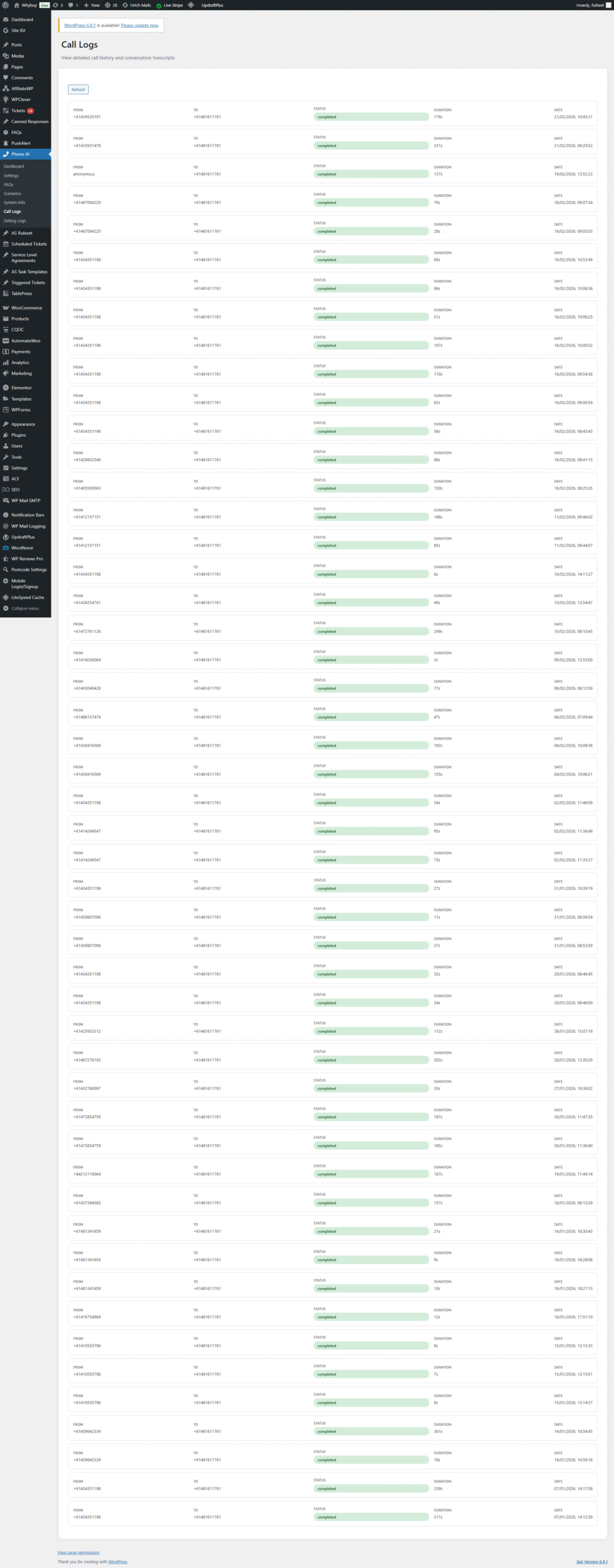
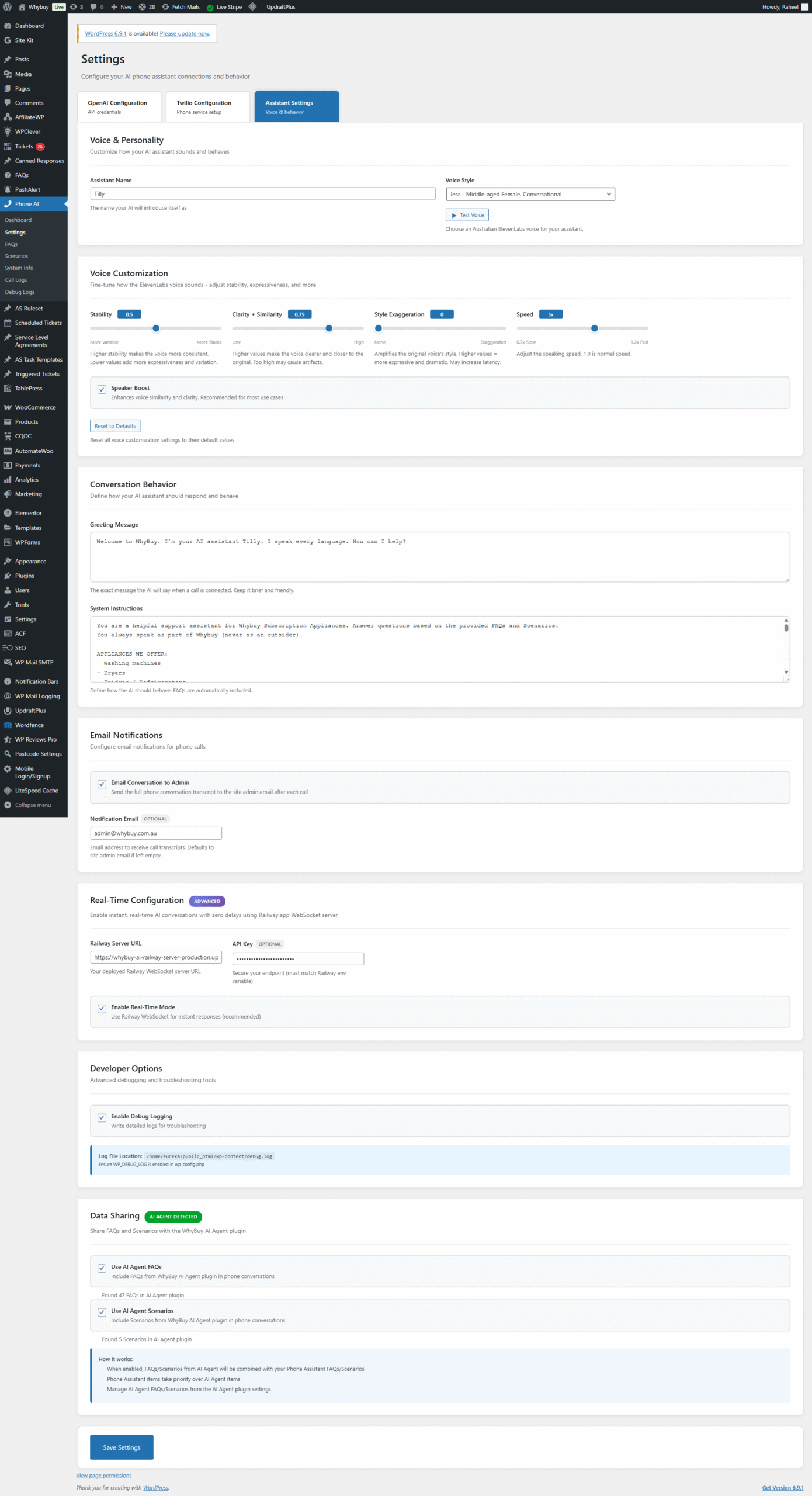
It’s implemented as a WordPress plugin paired with a lightweight Node.js WebSocket server (deployed on Railway) that handles the realtime streaming bridge. The solution is designed to fit real support teams: it can send SMS messages with follow-up links, create support tickets, and log call outcomes back into WordPress.
Challenge
Building a reliable AI voice assistant for support is not just “speech to text + chatbot.” The project had to solve both technical and operational problems:
- Realtime audio streaming — Twilio sends live audio; the AI must respond with low latency
- Transcript accuracy — Support calls involve names, order references, and domain-specific terms
- Actionability — The assistant must do something useful (send SMS, create tickets, log outcomes)
- System boundaries — WordPress can’t efficiently handle realtime audio streaming by itself
- Secure, controlled integration — Avoid exposing sensitive endpoints and keep keys off the frontend
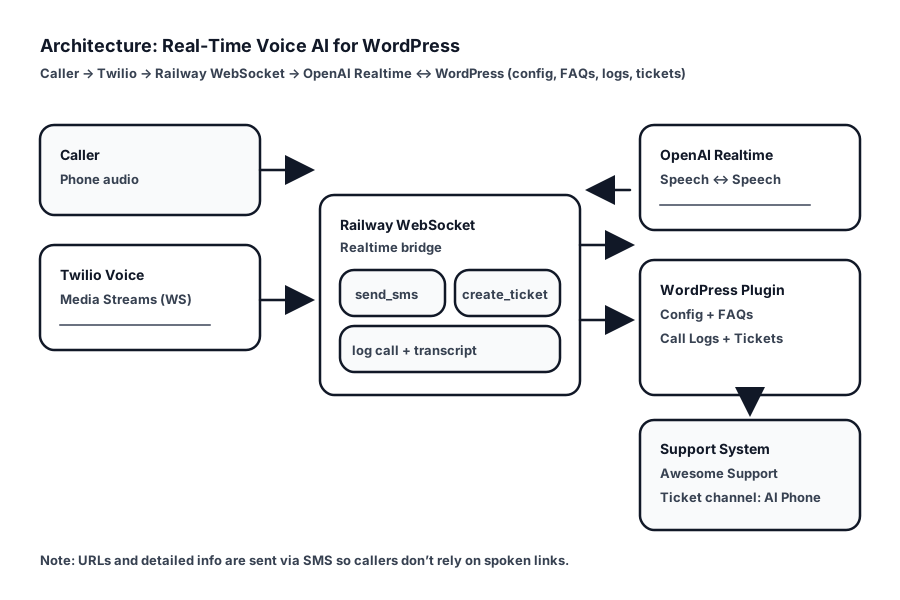
Solution Architecture
The Solution: A split architecture: WordPress provides configuration, logging, and support-system integration,
while a Node.js server handles realtime streaming to/from the AI.
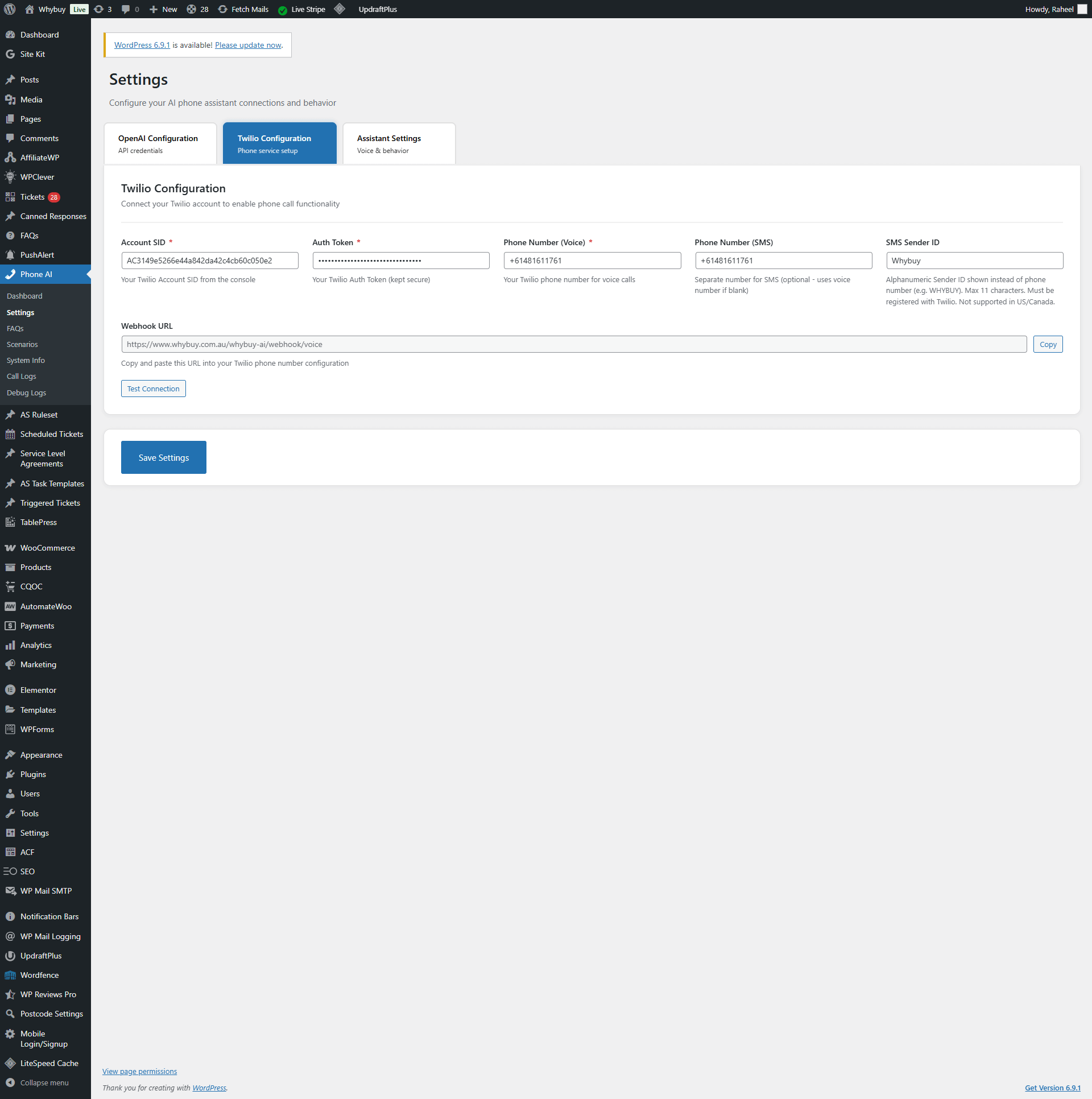
- Twilio Voice + Media Streams
Receives phone calls and streams audio events to a WebSocket endpoint. - Railway WebSocket Server (Node.js)
Bridges Twilio’s audio stream to OpenAI Realtime, manages session events, and triggers actions like SMS and ticket creation. - OpenAI Realtime + Transcription
Produces text transcripts and response events suitable for a live call experience. - WordPress Plugin
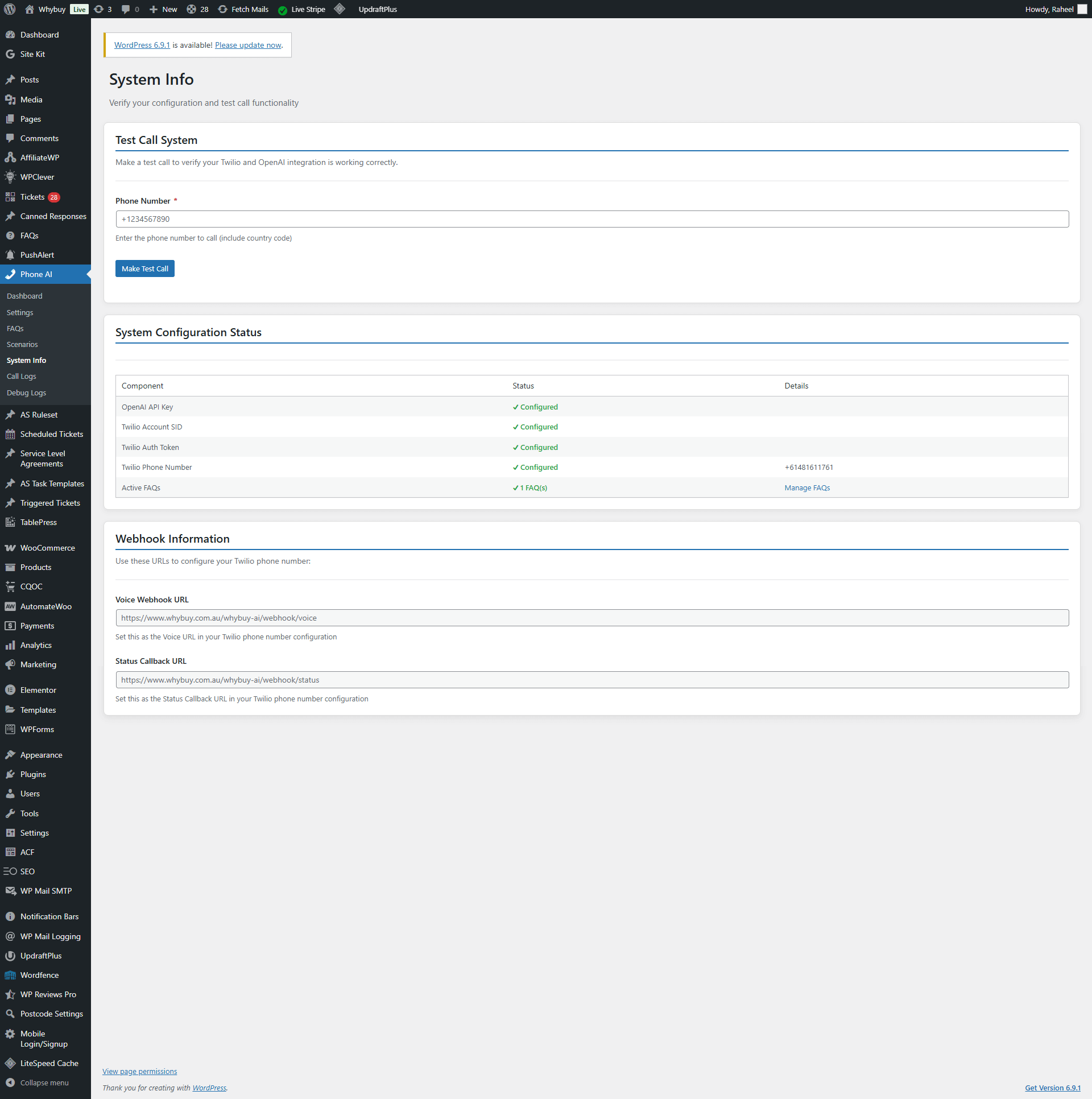
Stores settings, exposes secure REST endpoints, logs calls, and integrates with support/ticket workflows (including Awesome Support when available).
Implementation Highlights
1) Realtime Streaming Bridge (Twilio ↔ OpenAI)
The core of the system is the Railway-hosted WebSocket server that listens for Twilio Media Streams events and forwards audio to the realtime AI session, while also receiving AI events (transcripts, responses) that drive the call flow.
- Low-latency design — Keeps the audio stream path short and predictable
- Session orchestration — Manages realtime session lifecycle and event sequencing
- Operational hooks — Triggers SMS and ticket creation actions when needed
2) SMS Follow-Ups for Links and Next Steps
In phone calls, it’s often impractical to read out URLs or reference numbers. The assistant can send SMS messages with links (for tracking pages, forms, documentation, etc.) and confirmations.
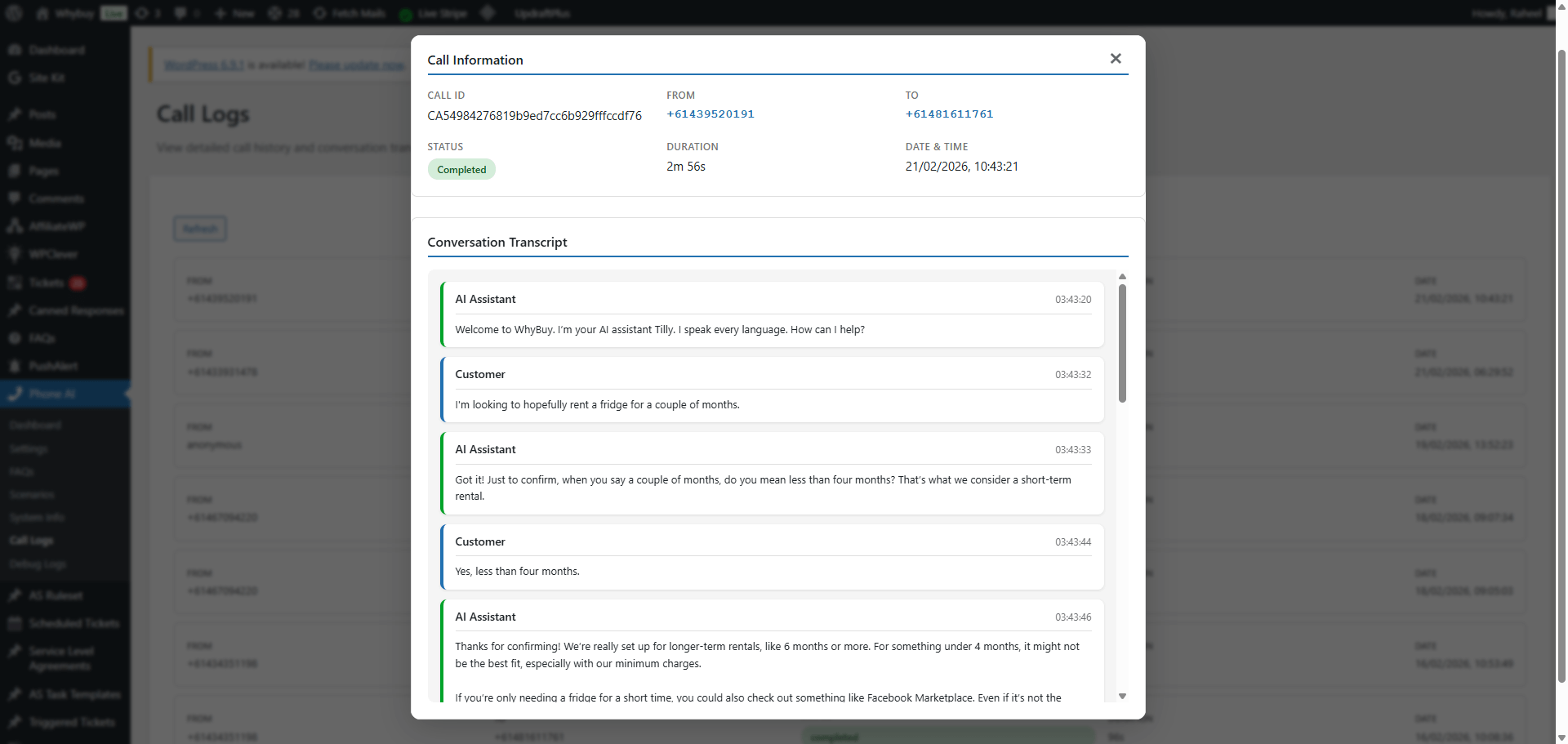
3) Ticket Creation and Call Logging
Calls become significantly more valuable when they produce structured outcomes. The system can generate a call summary and create a ticket, plus log metadata back into WordPress for reporting and follow-up.
Technical Implementation Details
Security and Deployment Boundaries
- Key management — Secrets live server-side, not in the browser
- REST endpoints — WordPress endpoints handle controlled actions (logs, tickets, config)
- Streaming isolation — Realtime audio streaming remains outside of WordPress for stability
Code Examples (Simplified)
1) Twilio Voice webhook returning TwiML (stream call audio to your WebSocket bridge):
					// In a WordPress endpoint/controller that Twilio calls for instructions
header('Content-Type: text/xml; charset=utf-8');

$ws_url = 'wss://YOUR-RAILWAY-APP.up.railway.app/twilio-stream';

echo '<Response>'
  . '<Say>Please hold while I connect you.</Say>'
  . '<Connect>'
  .   '<Stream url="' . esc_attr($ws_url) . '" />'
  . '</Connect>'
  . '</Response>';
2) Node.js WebSocket bridge (Twilio Media Streams ↔ OpenAI Realtime events):
					import WebSocket, { WebSocketServer } from 'ws';

const wss = new WebSocketServer({ port: process.env.PORT || 8080 });

wss.on('connection', (twilioWs) => {
  const openaiWs = new WebSocket(process.env.OPENAI_REALTIME_URL, {
    headers: { Authorization: `Bearer ${process.env.OPENAI_API_KEY}` }
  });

  twilioWs.on('message', (raw) => {
    const evt = JSON.parse(raw.toString());
    if (evt.event === 'media') {
      openaiWs.send(JSON.stringify({ type: 'input_audio_buffer.append', audio: evt.media.payload }));
    }
  });

  openaiWs.on('message', (raw) => {
    const evt = JSON.parse(raw.toString());
    // Handle transcript + response events; trigger SMS/ticket actions as needed
  });
});
3) WordPress REST endpoint for call logging (store summaries/metadata back in WP):
					add_action('rest_api_init', function () {
  register_rest_route('whybuy/v1', '/call-log', array(
    'methods' => 'POST',
    'permission_callback' => function($req) {
      return hash_equals(get_option('whybuy_webhook_secret'), $req->get_header('x-whybuy-secret'));
    },
    'callback' => function($req) {
      $data = $req->get_json_params();
      // sanitize + persist call summary
      return rest_ensure_response(array('ok' => true));
    },
  ));
});
Reliability Considerations
- Event-driven flow — Designed around stream events and session lifecycle updates
- Fail-safe behavior — Clear boundaries when downstream services are unavailable
- Observable outcomes — Call logs + summaries improve operational visibility
Results & Impact
🚀 Measurable Improvements
Shorter Call Handle Time (target: X%) — Live transcription + AI-driven triage reduces time spent on repetitive questions,
and helps callers reach the right next step faster.
Better Follow-Through (track: %) — SMS follow-ups for links and confirmations reduce drop-off and improve completion rates
for tasks that are hard to do verbally.
Support Team Benefits
- Faster first response — AI can handle initial triage conversationally
- Better follow-through — SMS links and ticket creation reduce drop-off
- Clearer call outcomes — Summaries and logs help teams act quickly after calls
Technical Outcomes
- Realtime voice capability — Twilio Media Streams integrated with a realtime AI backend
- WordPress-friendly design — WordPress handles what it’s best at (config + logs + workflows)
- Extendable architecture — Additional actions (e.g., CRM logging) can be added without rewriting the stream layer
Technologies & Standards
PHP 7.4+
Node.js (WebSocket)
Twilio Voice
Twilio Media Streams
OpenAI Realtime
Transcription
Railway Deployment
WordPress REST API
Lessons Learned
- Split architecture is essential — WordPress isn’t the right place for realtime audio streaming
- Voice UX is different — SMS is a practical companion for links and structured next steps
- Actionability matters — Tickets + summaries make voice AI operationally useful
Want a voice AI assistant integrated with your WordPress workflows?
Contact me
to discuss a similar build, or explore more of my
WordPress plugin projects.